How to run your first creator search
Your first search takes about a minute. Here is the fastest way to get a useful list of creators.
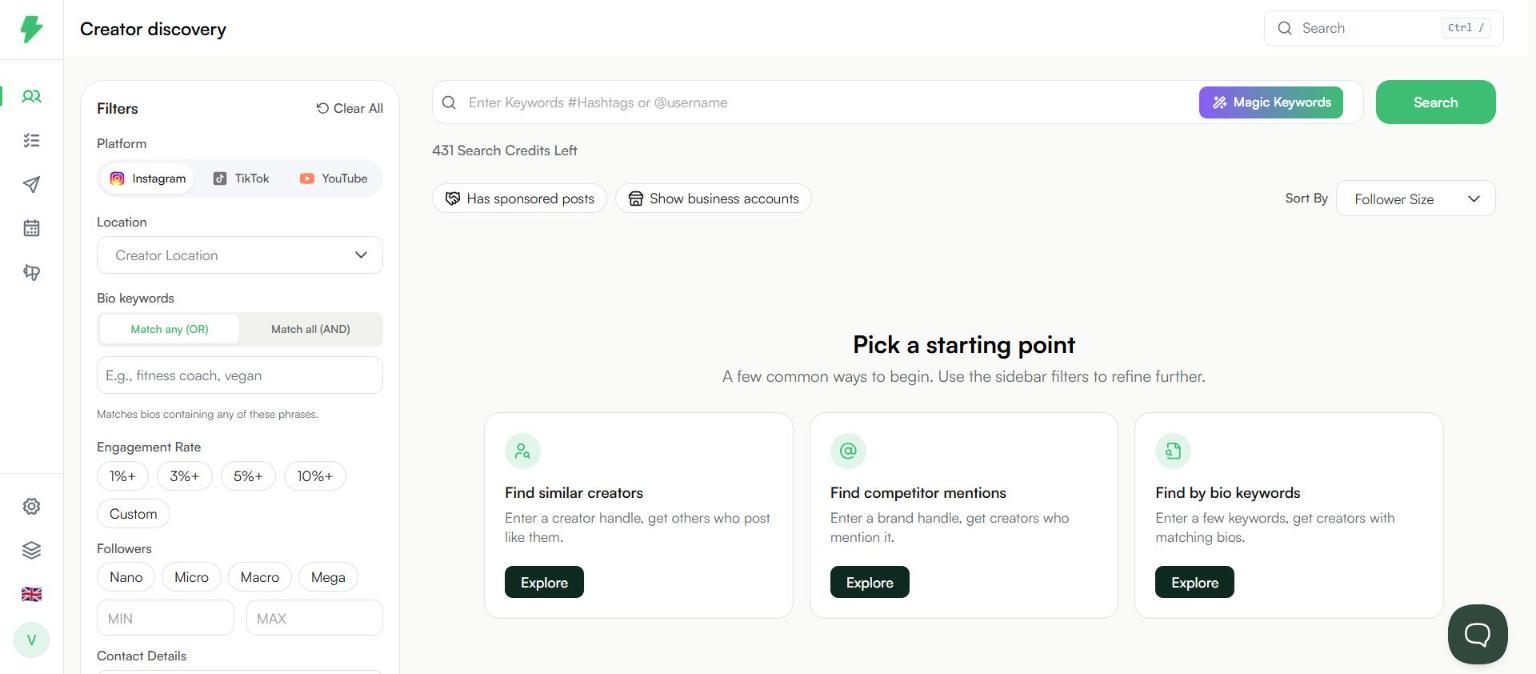
Step 1: Pick a starting point
Click Discover in the left menu. You will see three ways to begin:
- Find similar creators: enter a creator you already like.
- Find competitor mentions: enter a brand and see who talks about it.
- Find by bio keywords: enter words creators use to describe themselves.
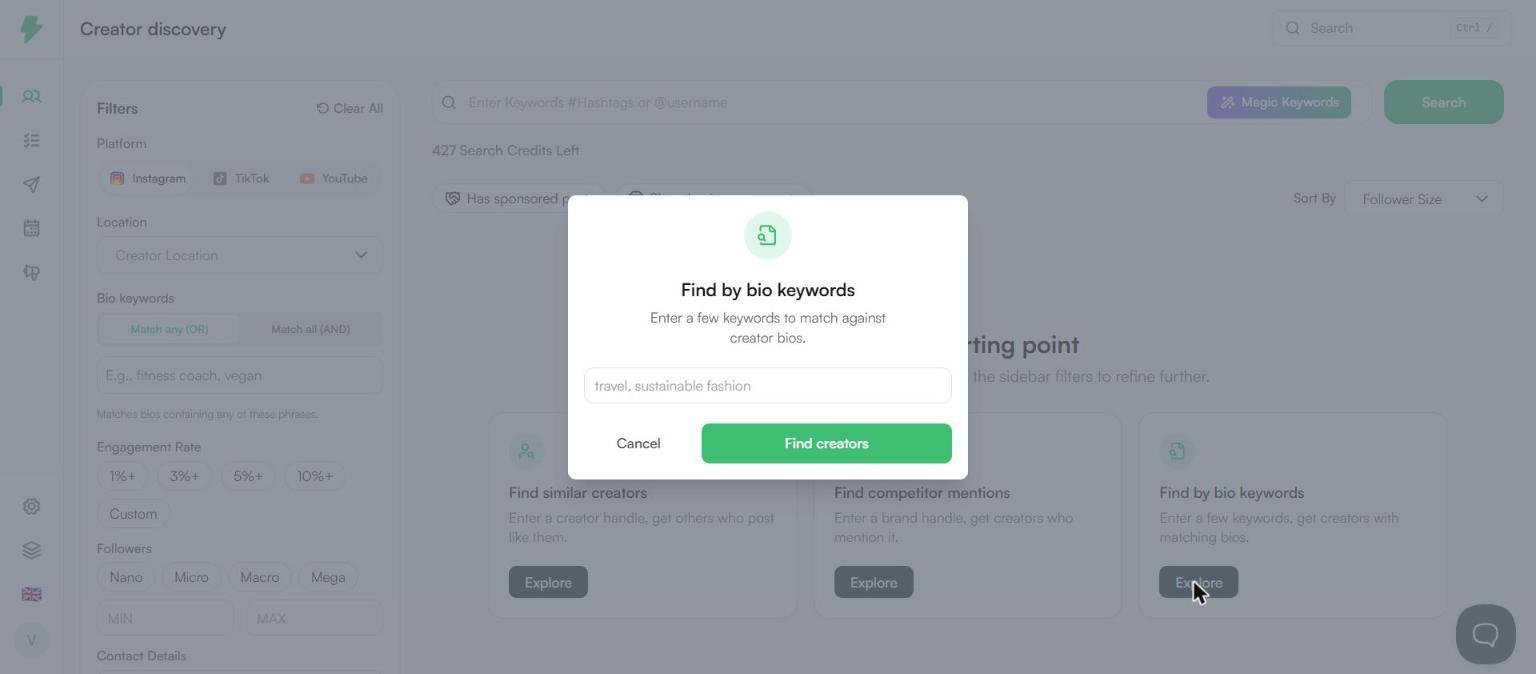
Step 2: Search
- Click Explore under Find by bio keywords.
- Type a keyword or two. For example, fitness coach.
- Click Find creators.
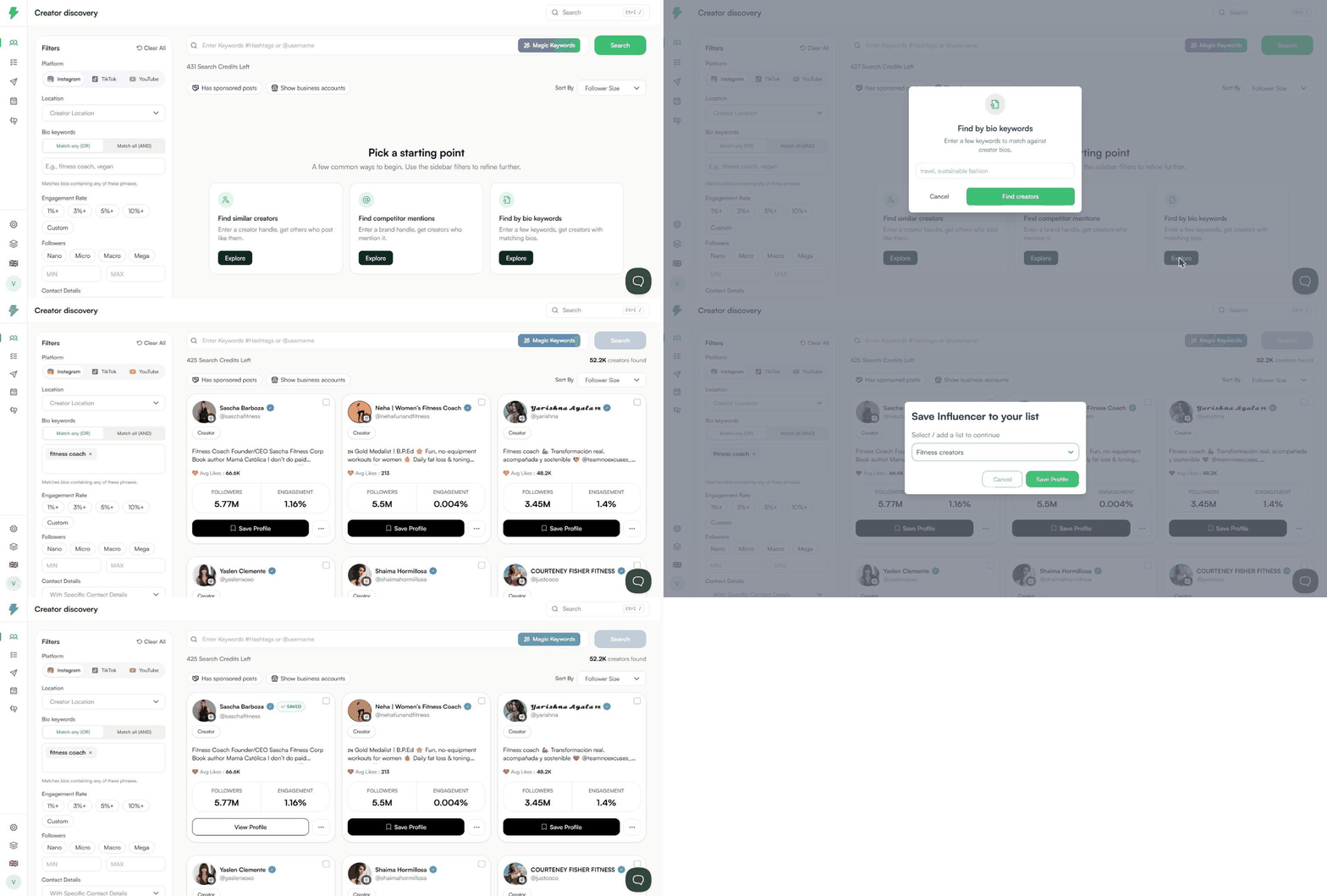
Step 3: Read the results
Each card shows the creator's name, bio, average likes, followers, and engagement rate. The total number of creators found shows at the top right.

Step 4: Narrow it down
Use the Filters panel on the left. Good first filters:
- Location: where the creator is based.
- Followers: pick Nano, Micro, Macro, or Mega.
- Engagement Rate: set a minimum, like 3%+.
Click Search again to apply them.
Step 5: Save the ones you like
- Click Save Profile on a card.
- Pick a list. General is the default.
- Click Save Profile.

Saved creators get a Saved badge and show up under My List.

What next
- Click the three dots on a card and pick Find Similar Creators to get more like them.
- Open a saved creator and click Generate Report to check their audience.
- Add your saved creators to a campaign.
Note: A search that returns results uses one search credit.