How to find a creator's email address
Contact details are locked on search results until you unlock them. Unlocking uses one contact unlock credit per creator (see How credits work). Once unlocked, the creator's email, phone, and social links show on the card.
Step 1. Run a search in Creator discovery. To only see creators who have an email on file, set the Contact Details filter to EMAIL first. See How to filter creators by contact availability.
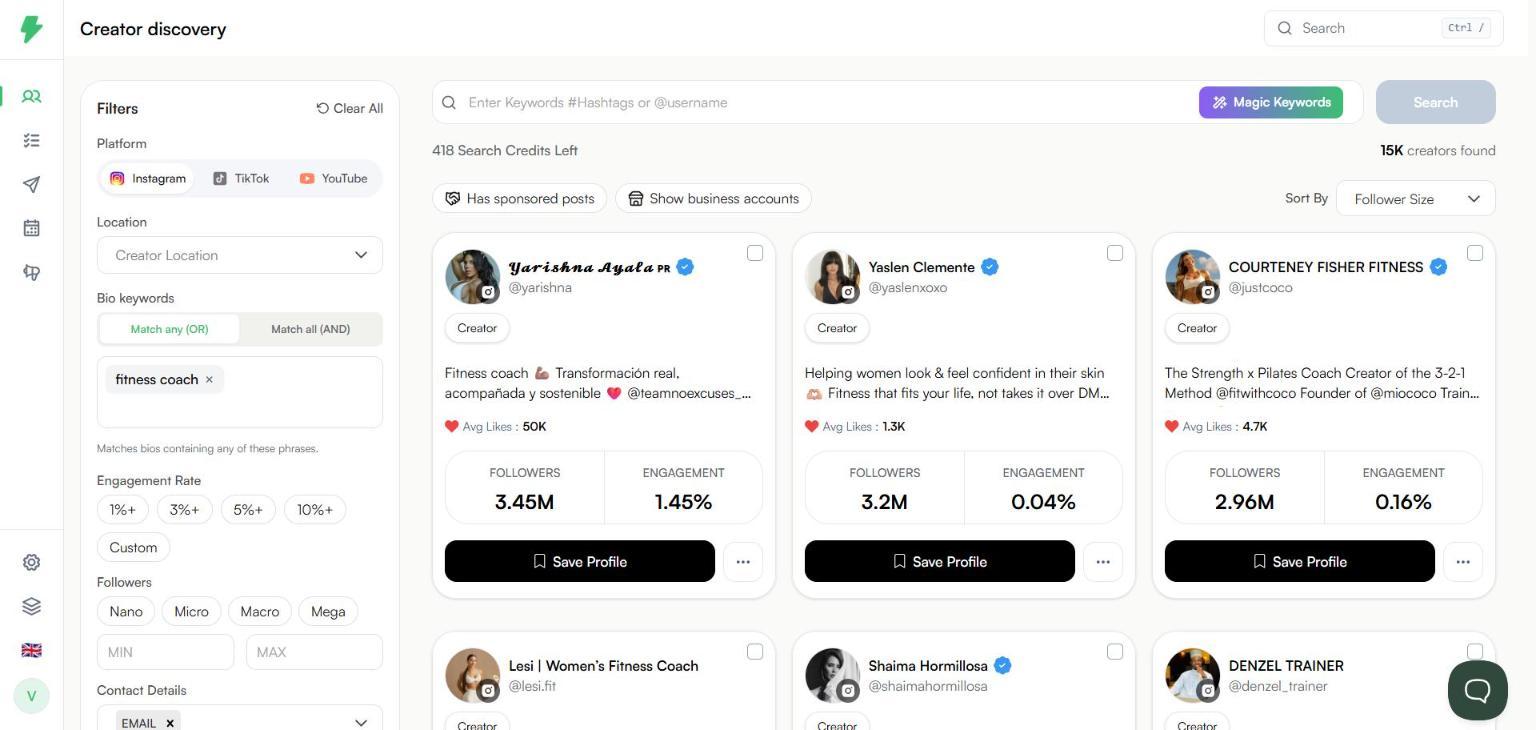
Step 2. Click the three dots next to Save Profile on the creator's card.

Step 3. Click Unlock Contact Details. A dialog shows how many contact unlock credits you have left.

Step 4. Click Yes. A row of contact icons appears on the card: phone, email, website, and the creator's social profiles.

Step 5. Click the @ icon. The email address is copied to your clipboard and you will see "Email address copied". Paste it wherever you need it.

Tips
The phone icon works the same way. Click it to copy the number.
Social icons open the creator's profile on that platform in a new tab.
Not every creator has an email on file. Use the Contact Details filter to skip the ones who do not.
Need emails for many creators at once? Unlock them, then export the results. See How to export search results as a CSV. You can also save creators to a list and manage their details there. See How to save creators from search to a list.